Carry the context of AI work into the next task
Keep decisions and verified findings in project Knowledge, then hand review back to a person.
An agent can finish research or implementation, yet the next session still starts with an explanation of why you chose that approach. The deliverable alone rarely captures the constraints discovered along the way.
UTSUROI now lets the official plugin read and write Knowledge in the same project as the work. Read the context before starting, then preserve decisions, reasons and verified findings at a meaningful milestone. The next person or agent can continue from that record.
Task state and project context
Tasks track what needs doing, who holds the ball and whether review is complete. Knowledge keeps the constraints and findings that remain useful after the task closes.
The goal is not a transcript. “Preserve existing authentication sessions to avoid making the team set up access again” helps the next decision. Secrets, speculation and temporary progress notes do not belong in the record.
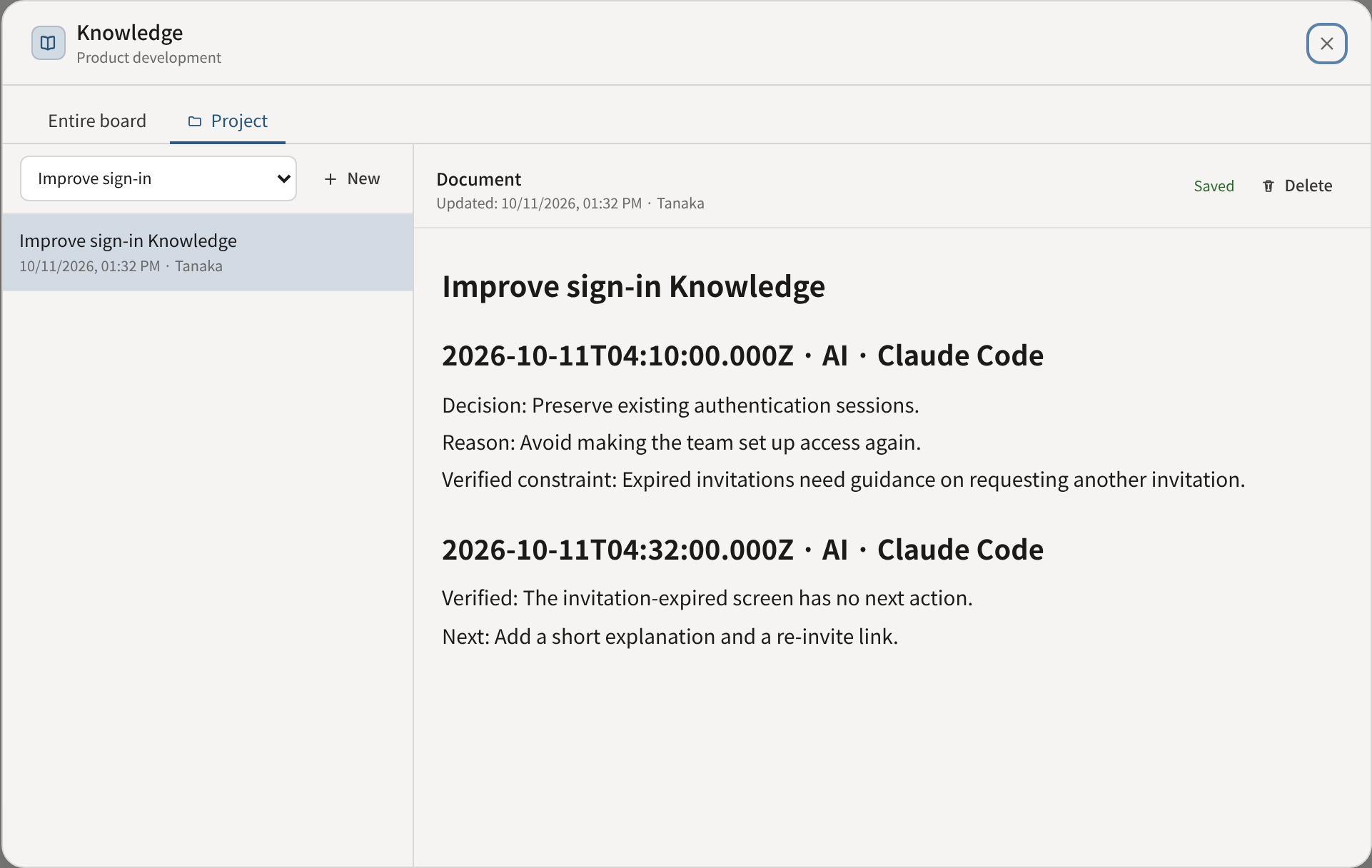
The plugin follows this workflow for work with an established destination and reports the saved document link. It depends on the client loading and following the skill; connecting MCP alone does not create an always-running recorder.
Give people something they can review
History and comments carry source badges, making it easier to see how a change reached UTSUROI. MCP client names remain self-reported metadata, not verified bot identities.
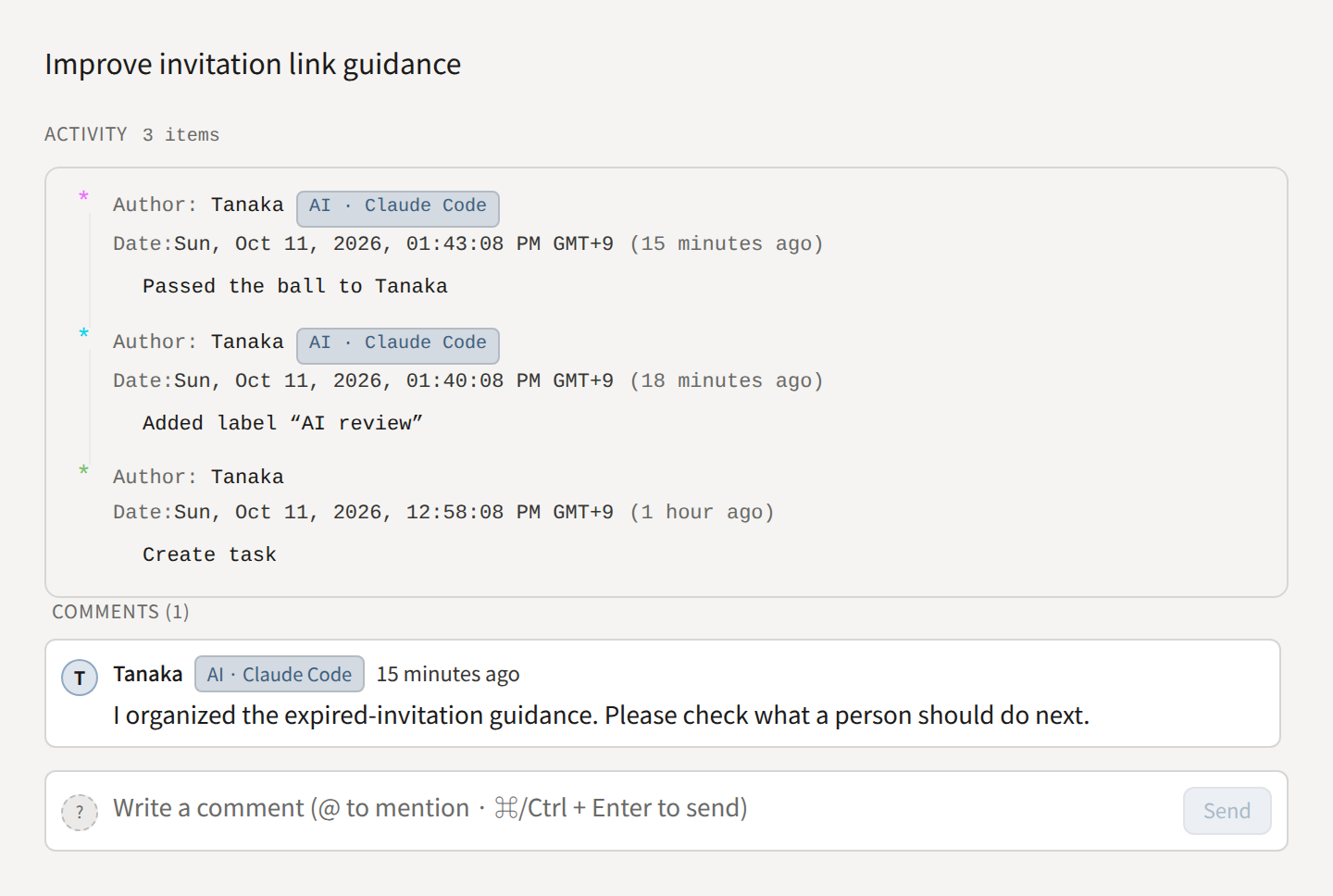
When an agent’s work needs human confirmation, it adds an AI review label, passes the ball to the reviewer and leaves a concise result comment. The existing task controls show who should act next without treating unfinished review as completed work.
Give each agent a place for its context
If you use agents with different roles, such as research, implementation and review, you can create a board for your AI and give each role its own project. Each role records decisions in its own Knowledge and reads other roles’ records as reference. A project is a unit of organization, not a permissions boundary: agents still act as the connecting person. Setup prompts and screenshots are in Run AI by role.
Start with one project and the facts worth carrying into its next task. See Build project knowledge for setup and limitations.