
My hub
My hub in the sidebar brings together the work that involves you.
| Sidebar group | Screen | What it shows |
|---|---|---|
| My hub | My tasks | Tasks assigned to you or created by you |
| My hub | Mentions | Mentions directed at you |
| My hub | Comments | Comments on tasks you are involved in |
| Team | Tasks by member | Other members’ tasks |
| Team | Risks | Overdue and stalled work |
| Insights | Completed tasks | Work that has been completed |
See tasks where you hold the ball
Section titled “See tasks where you hold the ball”- Open UTSUROI and choose your workspace.
- Open My tasks in the sidebar. If the sidebar is closed, open it with the menu button at the top left.
- Enable Ball holder only.
- If needed, enable Hide completed to focus on work that still needs action.
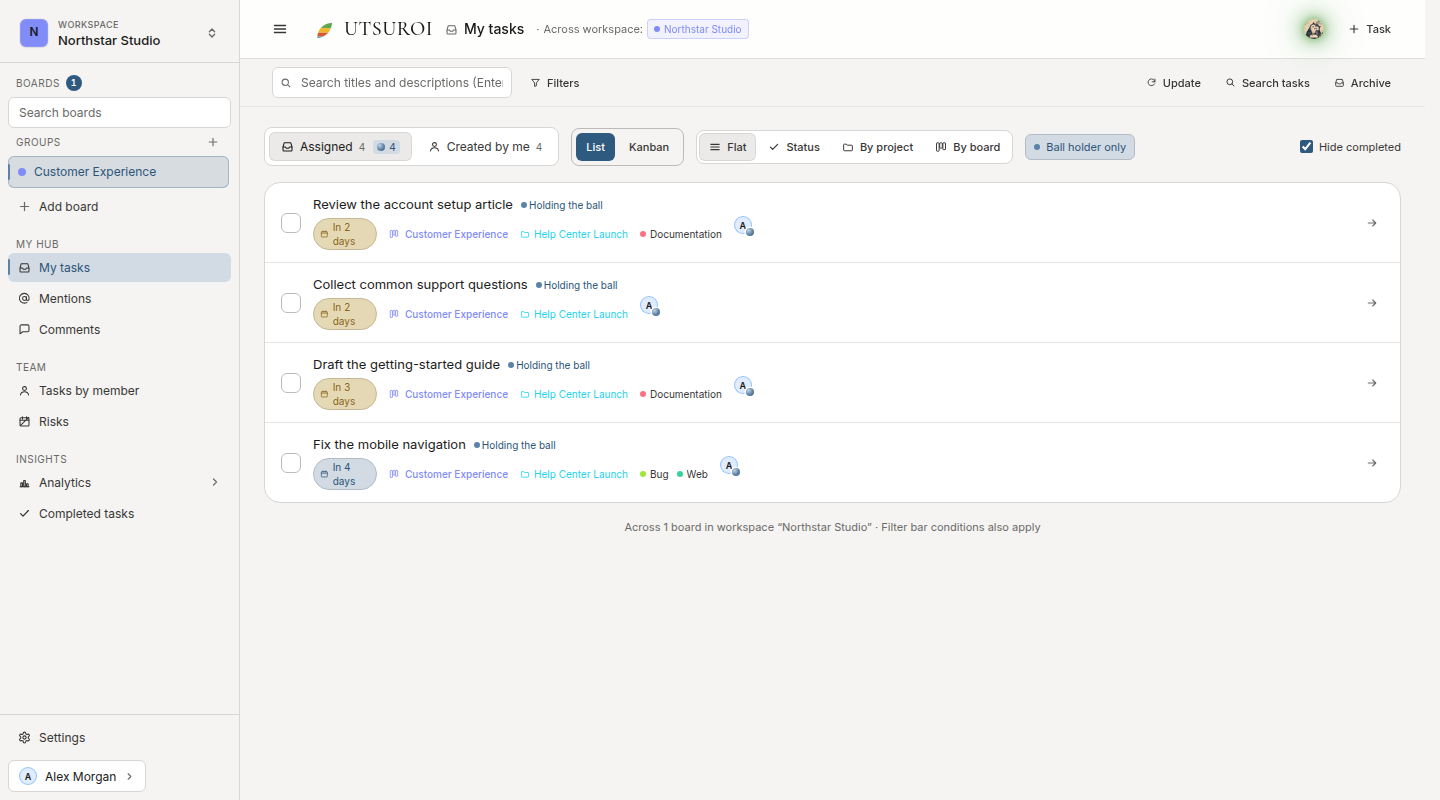
Holding the ball marks tasks where it is your turn to act. This sample brings article review, request triage, guide writing, and a bug fix into one list.
You can switch between list and Kanban views, or group tasks by project or board. Check what needs your action here before moving between boards.
Why it exists
Section titled “Why it exists”My hub lets you keep track of your work without following every notification. Even if you skim Slack or miss a mention, My tasks still shows your assigned work. Opening it once a day is enough.
The home page shows your current situation:
- Scheduled starts to check
- Tasks due soon
- Stalled work
- Mentions and comments
Stalled work uses vermilion, while new activity uses fresh green. These colors come from a seasonal palette and carry the same meanings throughout the product.
A personal routine
Section titled “A personal routine”When you open My tasks in the morning, check:
- Tasks where you hold the ball: work waiting for you. Prioritize taking the next action or handing it over.
- Overdue tasks: revise the due date or complete finished work.
- Scheduled starts: work you planned to begin today.
See A personal task routine for a repeatable checklist.