
A personal task routine
Use this when: Tasks are piling up and you are unsure where to start each morning.
This is a personal routine you can follow alongside your team’s process.
Morning: 3 minutes
Section titled “Morning: 3 minutes”Open UTSUROI, select your workspace, and open My hub → My tasks.
1. Check tasks where you hold the ball
Section titled “1. Check tasks where you hold the ball”Enable Ball holder only at the top of My tasks. These tasks are waiting for your next action.
Handle these first, because others are waiting. Choose one of these actions:
- Do the work.
- Pass the ball to the next person.
- Revise the due date and tell those involved.
- Decide the work is no longer needed and close it out.
Do not hold the ball silently. Others will assume work is underway.
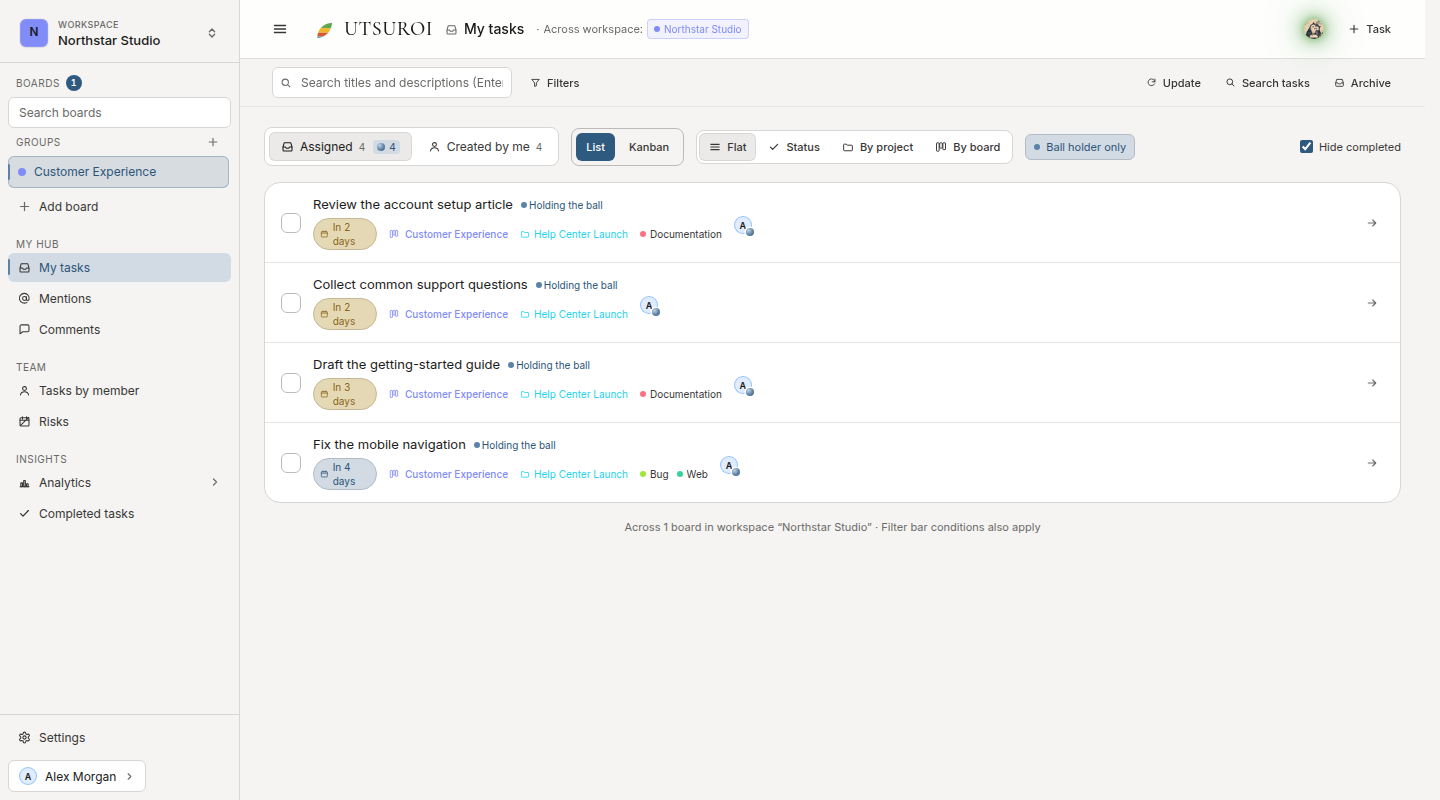
In this sample, start by opening Review the account setup article. After reviewing it, complete it or leave the requested changes in a comment and pass the ball to the next person.
2. Check overdue tasks
Section titled “2. Check overdue tasks”Open overdue tasks and decide which situation applies:
- Actually delayed: Set a new due date and tell those involved.
- Already finished: Mark complete.
- No longer needed: Archive.
Keep dates meaningful. A permanent list of 20 overdue tasks makes it harder to recognize a new problem.
3. Check scheduled starts
Section titled “3. Check scheduled starts”Home shows tasks scheduled to start today. Decide whether you can actually begin them.
Evening: 2 minutes
Section titled “Evening: 2 minutes”1. Pass the ball on work you have handed off
Section titled “1. Pass the ball on work you have handed off”For tasks you worked on today, pass the ball once your part is done. Do it today so the next person does not have to wait until tomorrow morning.
2. Set start dates for tomorrow
Section titled “2. Set start dates for tomorrow”Set the scheduled start date on tasks you intend to begin tomorrow. They will appear on Home in the morning.
Once a week: 5 minutes
Section titled “Once a week: 5 minutes”Resolve missing due dates
Section titled “Resolve missing due dates”Find your tasks without due dates and choose dates. If a date cannot be set yet, decide when to make that decision, or archive work that is no longer actionable.
Add sizes
Section titled “Add sizes”Estimate unsized tasks to improve the usefulness of velocity.
Keep the task list as your reference
Section titled “Keep the task list as your reference”With this routine, you do not need to follow every Slack notification. If you miss a mention, your tasks still show up in My hub. Opening it morning and evening is more reliable than chasing notifications.