
2. Design your boards and lanes
Whether the rollout works is mostly decided here.
Slicing boards
Section titled “Slicing boards”A board is a playing field where tasks sit. The default rule: slice by the group of people who look at it every day.
| Slice by | Good when |
|---|---|
| Team | You have standing teams. The safest default |
| Project | Several time-boxed engagements run in parallel |
| Area / feature | Ownership is fixed and cuts across engagements |
Note that projects exist as a separate concept. If you want to group work inside one board, use a project rather than another board.
Add and switch boards from Switch board in the header. In the sidebar you can put boards into groups and pin the ones you use most.
Picking lanes
Section titled “Picking lanes”A new board starts with three lanes.
| Lane | Kind | Role |
|---|---|---|
| TODO | System | Not started |
| DOING | System | In progress |
| DONE | System | Finished |
These are system lanes and cannot be renamed, because completion logic and analytics use the distinction.
Add your own lanes in between. Drag lane headers to reorder, and change lane colors.
Which lanes to add
Section titled “Which lanes to add”Worth adding: stages where waiting happens.
- Awaiting review
- Awaiting confirmation
- Awaiting approval
- Awaiting release
With these as lanes, one look at the board tells you how many items are stuck where. Lowering your synchronous share starts with making that visible.
Not worth adding: lanes per person. Assignees are a field on the task, and the header filter can narrow by them. Filling lanes with people hides the stages.
Example: launching a help center
Section titled “Example: launching a help center”For a team working together from writing to publication, use a Customer Experience board and a Help Center Launch project. Start with these four lanes.
| Lane | Example task | Next action |
|---|---|---|
| TODO | Collect common support questions | Turn support questions into article ideas |
| DOING | Draft the getting-started guide | Write the steps for a new user |
| Review | Review the account setup article | Try the steps and return feedback |
| DONE | Agree on the article outline | The outline has been agreed |
Review is a custom lane placed between DOING and DONE. When moving a task into review, pass the ball to the reviewer too, so the next person to act is clear.
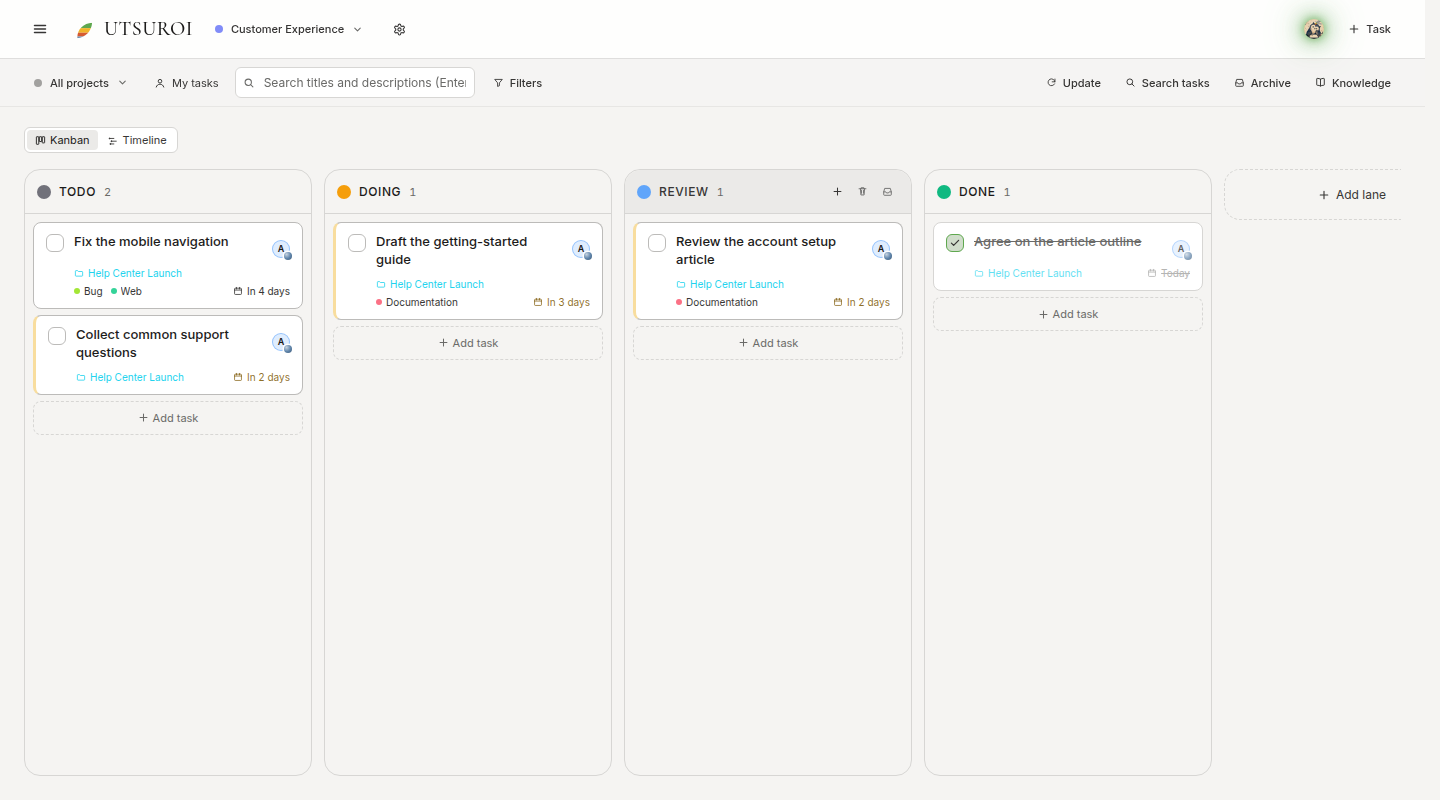
Lanes show the stage of work. Help Center Launch is the project; Documentation and Bug are labels.